
Smartphones have become an essential part of daily life, storing personal photos, private messages, banking apps, and important documents. To keep this data safe, fingerprint lock has become one of the most popular and trusted security options. In 2025, fingerprint technology is faster, more accurate, and easier to use than ever before.
What is Fingerprint Lock on Mobile Screen?
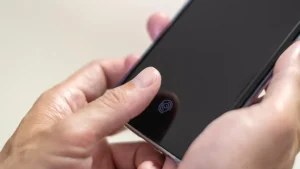
A fingerprint lock is a biometric security feature that allows users to unlock their mobile phones using their unique fingerprint. Instead of remembering passwords or patterns, users simply place their finger on the sensor to access their device.
This feature is widely used by students, professionals, and everyday users because it combines strong security with quick access. Many people search for fingerprint lock setup methods when buying a new phone or upgrading their device software.
Why Use Fingerprint Lock on Mobile?
Fingerprint lock offers a balance between security and convenience. Unlike PINs or patterns, fingerprints are unique and difficult to replicate, making them one of the safest screen lock options available.
Main Reasons to Use Fingerprint Lock:
- Convenience: Unlock your phone instantly with a single touch.
- Enhanced Security: Protects personal data from unauthorized access.
- User-Friendly: No need to remember passwords or patterns.
- Reliable Protection: Works accurately even with frequent daily use.
Key Features of Fingerprint Lock
- Fast Unlocking: Access your phone in seconds without delays.
- Biometric Accuracy: Recognizes only registered fingerprints.
- Multiple Finger Support: Allows adding more than one fingerprint.
- App Lock Integration: Can secure apps like gallery, messages, and payments.
Benefits of Using Fingerprint Lock on Mobile Screen
- Convenience: Makes unlocking quick and effortless.
- Security: Reduces the risk of hacking or unauthorized access.
- User-Friendly: Simple setup process suitable for beginners.
- Safe & Secure: Protects sensitive apps, files, and personal information.
How to Set Fingerprint Lock on Mobile Screen
Setting up fingerprint lock is simple and takes only a few minutes. While steps may vary slightly by device, the general process is similar across most smartphones.
Step-by-Step Guide:
- Open Settings on your mobile phone.
- Go to Security or Privacy & Security.
- Select Fingerprint or Fingerprint Lock.
- Set a backup screen lock (PIN, password, or pattern).
- Follow on-screen instructions to scan your fingerprint.
- Place your finger on the sensor multiple times until registration completes.
- Save the fingerprint and enable fingerprint unlock.
Once completed, you can unlock your phone using your fingerprint instantly.
Latest Updates & Improvements in Fingerprint Technology
Fingerprint lock technology has improved significantly in recent years:
- Faster Recognition: New sensors unlock devices almost instantly.
- Improved Accuracy: Works better even with slight finger movements.
- Under-Display Sensors: No visible scanner, cleaner phone design.
- Better Security Algorithms: Reduces false recognition attempts.
Comparison with Other Screen Lock Methods
Fingerprint lock stands out when compared to traditional screen lock options.
Key Differences:
- PIN/Pattern Lock: Easy to forget and easier to observe.
- Password Lock: Secure but time-consuming to enter.
- Fingerprint Lock: Quick, secure, and user-friendly.
- Face Unlock: Convenient but may struggle in low light.
Fingerprint lock offers the best balance between speed and protection for most users.
Pros & Cons / User Tips
Pros:
- Quick and secure unlocking.
- No need to remember passwords.
- Works well with app locks and payments.
Cons:
- May struggle with wet or dirty fingers.
- Sensor quality varies by device.
- Requires backup lock setup.
User Tips:
- Register the same finger twice for better accuracy.
- Add multiple fingerprints for flexibility.
- Clean the fingerprint sensor regularly.
Safety Tips
- Use a Backup Lock: Always set a PIN or password as backup.
- Avoid Sharing Access: Do not register fingerprints of unknown people.
- Keep Software Updated: Updates improve security and sensor performance.
- Protect Privacy: Disable fingerprint access for unknown apps.
Is Fingerprint Lock Worth It?
Fingerprint lock is one of the most practical security options available today. It offers both safety and speed without complicating the user experience.
Who Should Use It:
- Students and professionals with personal data on phones.
- Users who want quick and secure access.
- People using mobile payments or banking apps.
Who Shouldn’t Use It:
- Users uncomfortable with biometric data.
- Phones without reliable fingerprint sensors.
- People who prefer traditional passwords only.
Conclusion
Learning how to set fingerprint lock on mobile screen is a smart step toward better phone security. With fast unlocking, strong protection, and easy setup, fingerprint lock has become a trusted choice in 2025. By following safe practices and keeping your device updated, you can enjoy a secure and seamless mobile experience. Using fingerprint lock responsibly ensures your personal data stays protected while keeping your phone easily accessible.