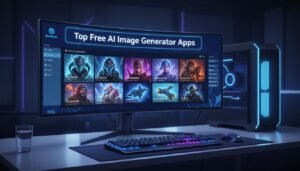

Creating stunning AI art no longer requires sitting at a desktop. With powerful AI image generator apps now available on Android, you can turn your wildest creative ideas into reality—right from your smartphone. Whether you’re a content creator, designer, or just someone who loves experimenting with AI, there’s never been a better time to explore alternatives to DALL-E.
In 2026, the landscape of text-to-image AI generation has exploded with options. While DALL-E remains famous, newer tools like Midjourney, Stable Diffusion, and Leonardo.ai have overtaken it in terms of quality and flexibility. The best part? Many of these powerful generators now come with Android apps, making professional-grade AI art accessible in your pocket.
Let’s dive into the best AI image generator apps available for Android users today.
What is an AI Image Generator?
An AI image generator is a software tool that uses machine learning and neural networks to create images from text descriptions. You simply type a prompt—like “a serene mountain landscape at sunset with golden light”—and the AI translates your words into visual art within seconds.
These tools leverage advanced deep learning models (like diffusion models and transformers) trained on billions of images and text pairs. They understand context, artistic styles, colors, composition, and even subtle details that make images feel natural and creative.
Why Choose an AI Image Generator?
- Speed: Generate high-quality images in seconds instead of hours
- Cost-Effective: Many offer free tiers with premium features available
- No Design Skills Required: Create professional-looking visuals without Photoshop knowledge
- Unlimited Variations: Instantly tweak prompts and generate dozens of variations
- Creative Freedom: Experiment with styles from photorealism to fantasy art
Key Features & Benefits of Top AI Image Generators
When evaluating AI image generator apps for Android, look for these essential features:
- Text-to-Image Generation: Convert detailed prompts into stunning visuals
- Image Editing Tools: Refine, upscale, and enhance generated images with AI
- Multiple Art Styles: Access diverse styles from anime to oil paintings to photorealism
- Customization Options: Control aspect ratios, colors, and artistic direction
- Batch Generation: Create multiple variations simultaneously
- Cloud Sync: Save your creations across devices
- Fast Processing: Generate images in seconds, not minutes
- Community Features: Share work, browse trending creations, and collaborate
- Commercial Usage Rights: Understand whether you can use images commercially
- Offline Capabilities: Some apps work without constant internet
Best AI Image Generator Apps for Android: Top 7 Picks
1. Leonardo.Ai – The Professional Choice
Leonardo.Ai stands as one of the most powerful AI image generators available on Android. It’s designed for professionals, content creators, and artists who demand precision control.
Key Strengths:
- Multiple AI models (Leonardo Phoenix, GPT Image 1.5, Alchemy Refiner)
- Exceptional prompt adherence and text rendering in images
- Advanced customization with negative prompts and tiling options
- Production-ready assets and pre-tuned presets
- 21 million+ creative community members
- Real-time collaboration tools
Pricing: Free tier with daily credits; Premium plans start at $9.99/month
Best For: Designers, marketing professionals, and creators needing consistent, high-quality assets
2. Midjourney – The Artistic Powerhouse
While traditionally Discord-based, Midjourney now offers web access and is accessible via Android through web browsers. Its reputation for stunning, cinematic visuals is well-earned.
Key Strengths:
- Exceptional detail and painterly textures
- Strong realism and cinematic quality
- Multiple upscaling and variation options
- Community-driven refinement (ranking images to train AI)
- Natural language understanding
- Fast iteration cycles
Pricing: Subscription-based starting at $10/month (or $120/year)
Best For: Artists creating cinematic concept art, marketing visuals, and high-end creative projects
3. Fotor – The All-in-One Designer
Fotor combines AI image generation with a full photo editing suite, making it ideal for users who want both creation and refinement tools in one platform.
Key Strengths:
- Integrated photo editor with 1000+ editing tools
- Diverse AI art styles and templates
- AI Background Remover
- AI Photo Enhancer
- Social media size templates built-in
- Free web version with Android app
Pricing: Free plan available; Premium at $9.99/month
Best For: Social media managers, content creators needing quick edits alongside generation
4. Picsart – The Content Creator’s Suite
Picsart has evolved into a complete creative ecosystem for 2026, with powerful AI image generation integrated alongside photo editing, design templates, and community collaboration features.
Key Strengths:
- AI text-to-image generation from scratch
- Magic Effects for artistic filters
- AI Avatar creation
- Animated sticker generation
- Video art generation
- Built-in templates, stickers, and fonts
- Real-time team collaboration
- No account needed for basic features
Pricing: Free with ads; Premium from $4.99/month
Best For: Content creators, influencers, and social media managers who need versatile tools
5. Stable Diffusion – The Open-Source Alternative
Stable Diffusion represents the democratization of AI image generation. It’s free, open-source, and available through multiple Android apps and web interfaces.
Key Strengths:
- Completely free to use
- No account registration required initially
- Open-source, so transparent and customizable
- Vast community with fine-tuned models
- Inpainting and outpainting capabilities
- Extensive style variety
- Works across all platforms
Pricing: Free
Best For: Budget-conscious users, artists wanting maximum control, and tech enthusiasts
Note: Stable Diffusion requires learning the interface but offers unmatched creative freedom.
6. Canva – The Designer’s Favorite
Canva integrated powerful AI art generation into its already-stellar design platform, making it perfect for non-designers who want professional results.
Key Strengths:
- AI Art Generator with 100+ image styles
- Magic Media for image animation
- Drag-and-drop editor
- Access to millions of templates, fonts, and stock images
- Seamless integration with design workspace
- Perfect for presentations, posters, and social media
- Intuitive, beginner-friendly interface
Pricing: Free plan available; Canva Pro at $14.99/month
Best For: Marketers, entrepreneurs, educators, and social media creators needing quick, professional designs
7. Dream by WOMBO – The Artistic Explorer
Dream by WOMBO brings a unique, approachable interface that’s perfect for casual creators and artists exploring AI-generated art.
Key Strengths:
- 15+ distinct art styles
- No account required to start
- High-quality, realistic outputs
- Frequent app updates with new features
- Share and sell artwork as NFTs
- Simple, intuitive interface
- Community-driven discovery
Pricing: Free with watermarks; Premium from $9.99/month for watermark removal
Best For: Hobbyists, artists experimenting with AI, and NFT creators
Comparison Table: AI Image Generators for Android
| App | Best For | Free Tier | Paid Starting | Key Feature |
|---|---|---|---|---|
| Leonardo.Ai | Professionals | Yes (daily credits) | $9.99/mo | Multiple AI models + Phoenix |
| Midjourney | Cinematic art | Limited | $10/mo | Exceptional realism |
| Fotor | Social creators | Yes | $9.99/mo | All-in-one editor |
| Picsart | Content creators | Yes | $4.99/mo | Complete creative suite |
| Stable Diffusion | Developers | Yes | Free | Open-source flexibility |
| Canva | Non-designers | Yes | $14.99/mo | Template integration |
| Dream by WOMBO | Artists | Yes | $9.99/mo | Artistic styles |
Pros & Cons: Android AI Image Generators
Pros
- Accessibility: Create art without expensive software or skills
- Speed: Generate images in seconds versus hours with traditional methods
- Cost-Effective: Free tiers let you experiment before paying
- Mobile Freedom: Create anywhere, anytime with your Android phone
- Continuous Improvement: Models get better monthly as companies invest in R&D
- Commercial Potential: Generate content for blogs, social media, and products
- Creative Exploration: Experiment with unlimited variations instantly
- Community Learning: Access tutorials and inspiration from millions of users
Cons
- Quality Inconsistencies: Sometimes outputs don’t match the prompt perfectly
- Face Distortion: Photorealistic face generation remains challenging for some tools
- Copyright Concerns: Questions around training data sourcing and fair use
- Internet Dependency: Most apps require constant connectivity (some offline modes exist)
- Learning Curve: Crafting effective prompts takes practice for best results
- Subscription Costs: Premium features and credits can add up with heavy use
- Output Ownership: Terms of service vary regarding commercial use rights
- Processing Limits: Free tiers often cap daily generation counts
Tips for Getting the Best Results from AI Image Generators
Craft Powerful Prompts
The quality of your output directly depends on your input. Here’s how to write better prompts:
- Be Specific: Instead of “a cat,” try “a fluffy orange tabby cat sitting on a velvet cushion in soft golden sunlight”
- Add Style Direction: Include artistic style like “oil painting style,” “photorealistic,” “cyberpunk,” or “Studio Ghibli anime”
- Use Descriptive Details: Mention colors, lighting, mood, textures, and composition
- Include Camera Details: “Wide-angle,” “macro photography,” or “cinematic 16:9” helps define perspective
- Remove What You Don’t Want: Use negative prompts like “no watermarks, no text, no distortion”
Iterate Smartly
- Generate multiple variations and pick the strongest base
- Use image-to-image features to refine and build on successful outputs
- Combine successful element descriptions from different prompts
- Adjust aspect ratios for different platforms (1:1 for Instagram, 16:9 for YouTube, etc.)
Optimize Settings
- Choose the right AI model for your need (faster vs. higher quality)
- Adjust quality sliders if available (higher quality = longer processing)
- Experiment with style strength and guidance scales
- Use batch generation to create multiple options simultaneously
Editing After Generation
- Use built-in upscaling to increase resolution for print or large displays
- Apply filters and adjustments to match your brand colors
- Remove backgrounds or add elements using inpainting tools
- Combine AI-generated elements with your own photos
How AI Image Generators Compare to DALL-E
DALL-E 3, OpenAI’s flagship tool, is now considered a “legacy model” by many industry experts. While it pioneered accessible AI image generation, newer alternatives have surpassed it in several ways:
| Factor | DALL-E 3 | Modern Alternatives |
|---|---|---|
| Image Quality | Good | Better (especially Midjourney, Leonardo.Ai) |
| Text Rendering | Weak | Excellent (Recraft, Leonardo.Ai) |
| Customization | Limited | Extensive |
| Speed | Moderate | Faster (especially FLUX) |
| Cost | Requires ChatGPT Plus | Varied; many free options |
| Android Access | Via ChatGPT app | Native apps available |
| Artistic Control | Minimal | Advanced options |
| Model Variety | Single | Multiple models (Leonardo.Ai, NightCafe) |
The shift away from DALL-E reflects the explosive innovation in this space—companies like Black Forest Labs (FLUX), Stability AI, and Leonardo.ai are pushing boundaries faster than OpenAI updates DALL-E.
Free vs. Paid: Which Should You Choose?
Free Plans Work Best For:
- Testing multiple tools before committing
- Casual hobby creation with occasional needs
- Learning prompt techniques without cost
- Exploring different artistic styles
- Small volume creation (social posts, personal projects)
Paid Plans Make Sense For:
- High-volume daily creators and agencies
- Commercial use (blogs, marketing, products)
- Premium feature access (faster processing, higher resolution)
- Unlimited monthly generations
- Professional-grade output consistency
- Advanced editing and customization tools
Recommendation: Start with free tiers on 2-3 platforms, pick your favorite, then upgrade to paid if you exceed the free limits.
Latest Updates & Features (January 2026)
What’s New This Month:
- Leonardo.Ai: Launched GPT Image 1.5 model with improved face generation and text rendering
- Canva: Magic Media now supports image animation and branded video loops
- Picsart: Added video art generation and enhanced collaboration features
- Fotor: Integrated Stable Diffusion’s latest models for faster generation
- Midjourney: Web interface improvements with Discord bot still available
- Stable Diffusion: Community fine-tuned models at 500+ and counting
- Dream by WOMBO: New premium art styles and improved performance
Trending in AI Art Generation:
- Vector art generation gaining popularity (Recraft V3 leading)
- Faster inference times (FLUX models generating in 2-3 seconds)
- Better text-in-image capabilities
- Multi-step generation (refining through conversation)
- Growing commercial licensing clarity
FAQs: Your Common Questions Answered
Q: Can I use AI-generated images commercially?
A: It depends on the app’s terms. Most platforms explicitly allow commercial use—Leonardo.Ai, Fotor, Canva, and Picsart permit this. Always check the specific app’s commercial licensing terms. Some require attribution; others don’t. DALL-E and Midjourney allow commercial use, but review their exact policies for your use case.
Q: Which app generates the most realistic images?
A: For photorealism, Midjourney leads with exceptional detail and natural lighting. Leonardo.Ai’s Phoenix model comes in a close second. FLUX 2 and Stable Diffusion’s latest models are also excellent. However, no tool is perfect at human faces—all struggle occasionally.
Q: Do I need expensive equipment to run these apps?
A: No. All the apps mentioned above run directly on Android devices. The processing happens on company servers (cloud-based), not on your phone. Internet connection is required for most, though Stable Diffusion has limited offline capabilities.
Q: How long does image generation take?
A: Most modern generators create images in 5-30 seconds. Faster models (FLUX) can generate in 2-3 seconds. Slower, higher-quality models might take 30-60 seconds. Speed depends on the model and server load.
Q: What are “negative prompts” and why do they matter?
A: Negative prompts tell the AI what to exclude from the image. For example: “no watermarks, no text, no distortion, no extra arms.” They significantly improve output quality by preventing unwanted elements.
Q: Is there an Android app that doesn’t require internet?
A: Pure offline AI generation on Android is limited due to hardware constraints. However, Stable Diffusion and some other tools can work with local processing on high-end devices. Most users rely on cloud-based apps with internet connection.
Q: Which is cheaper: subscription or pay-per-image?
A: Subscriptions are usually cheaper for consistent monthly creators. Pay-as-you-go works for infrequent users. Calculate: If you generate 50+ images monthly, a $10/month subscription beats paying $0.10-$0.25 per image.
Q: Can these apps create videos?
A: Most focus on images, but Picsart, Canva, and some others have added video generation features. For dedicated video AI, tools like Runway, Synthesia, or Descript are specialized options.
Q: Are watermarks a big issue with free plans?
A: Yes, many free versions add watermarks. Apps like Dream by WOMBO and some others allow watermark removal only with premium subscriptions. Leonardo.Ai’s free tier doesn’t watermark, which is a huge advantage.
Conclusion
The world of AI image generation has exploded in 2026, giving Android users unprecedented creative power. Whether you’re a professional designer, social media manager, or curious artist, there’s a perfect AI image generator waiting for you.
Here’s our quick recommendation based on your needs:
- For Professionals: Leonardo.Ai offers the best feature set and model variety
- For Cinematic Art: Midjourney remains the gold standard
- For Beginners: Canva or Fotor provide the friendliest experience
- For Budget-Conscious Users: Stable Diffusion or Dream by WOMBO deliver excellent free quality
- For All-in-One Creative Suite: Picsart covers design, editing, and generation
The best approach? Download 2-3 free apps, try the same prompt on each, and see which output resonates with your creative vision. The technology is free to explore, and you’ll quickly discover your favorite tool.
Start creating stunning AI art today—your next masterpiece is just a text prompt away. Download any of these apps now and experience the future of visual creativity in your pocket.
Ready to generate your first AI image? Pick an app above, think of a creative prompt, and hit generate. The results might surprise you