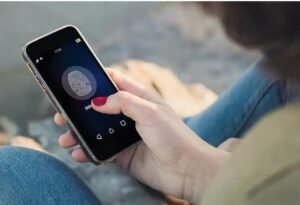

Give Your Phone Unlock Screen a Fresh Look
Smartphones have become an essential part of daily life, and users are constantly looking for ways to personalize their devices. One of the most exciting customization trends is Fingerprint Animations. Instead of seeing the same plain fingerprint icon every time you unlock your phone, fingerprint animation apps let you enjoy stylish visual effects that make the unlocking process more attractive and engaging.
Whether you prefer glowing neon rings, colorful particles, futuristic effects, or minimal designs, fingerprint animations allow you to transform an ordinary action into a visually pleasing experience. In this guide, we’ll explore what fingerprint animations are, how they work, their benefits, and how to choose the best fingerprint animation app.
What Are Fingerprint Animations?
Fingerprint animations are animated visual effects that appear around or on the fingerprint scanner while unlocking your smartphone. These animations replace or enhance the default fingerprint indicator with custom designs, making your lock screen look more modern and unique.
Many Android customization apps offer hundreds of fingerprint animation styles, including:
- Neon circles
- Fire and flame effects
- Electric lightning
- Water ripple animations
- Galaxy-inspired designs
- Minimal glowing icons
- Color-changing fingerprint effects
These animations are especially popular among users who enjoy personalizing their smartphones without making major system changes.
How Fingerprint Animation Apps Work
Most fingerprint animation apps use Android’s customization features to display animated overlays around the fingerprint sensor. After installation, users can browse available animation styles and apply their favorites with just a few taps.
Depending on your device, the app may request permissions such as:
- Display over other apps
- Accessibility access
- Lock screen customization permissions
Some premium apps also allow users to customize animation speed, color, brightness, size, and visual effects for a more personalized experience.
Benefits of Using Fingerprint Animations
Make Your Phone Look Premium
One of the biggest reasons people install fingerprint animations is aesthetics. Beautiful animations give your phone a premium appearance every time you unlock it.
Personalize Your Device
Everyone has different tastes. Whether you like simple designs or vibrant effects, fingerprint animation apps provide plenty of options to match your personality.
Easy to Use
Most apps feature a beginner-friendly interface. You can change animations within seconds without requiring technical knowledge.
Frequent Updates
Many developers regularly release new animation packs, allowing users to refresh their lock screen appearance whenever they want.
Popular Fingerprint Animation Styles
Neon Glow
Neon animations remain one of the most downloaded styles because they create a futuristic look with smooth glowing effects.
Particle Effects
These animations create tiny moving particles that spread outward during fingerprint recognition, producing an elegant visual experience.
Energy Waves
Energy wave animations simulate expanding circles and glowing rings that react when the fingerprint scanner is activated.
Minimal Designs
If you prefer a clean interface, minimalist fingerprint animations provide subtle visual enhancements without distracting from your lock screen wallpaper.
Tips for Choosing the Best Fingerprint Animation App
Not all customization apps offer the same quality. Before downloading one, consider the following factors.
Check Device Compatibility
Ensure the app supports your Android version and fingerprint sensor type, especially if your device uses an in-display fingerprint scanner.
Read User Reviews
Positive reviews often indicate stable performance, smooth animations, and fewer bugs.
Look for Customization Options
The best apps allow users to change:
- Animation colors
- Speed
- Size
- Opacity
- Background effects
Greater customization means you can create a unique unlocking experience.
Avoid Excessive Ads
Free apps may contain advertisements. Choose apps that maintain a good balance between free features and user experience.
Does Fingerprint Animation Affect Battery Life?
Many users worry that visual effects may drain battery power. In most cases, lightweight fingerprint animation apps consume very little battery because animations only appear briefly during the unlock process.
However, apps with continuous background effects or excessive system permissions may use additional resources. Choosing a well-optimized app from a trusted developer helps ensure smooth performance without noticeable battery impact.
Are Fingerprint Animation Apps Safe?
Generally, fingerprint animation apps do not access or store your fingerprint data. Your biometric information remains protected by your phone’s secure hardware and operating system.
Still, it’s always wise to:
- Download apps from trusted sources.
- Review requested permissions before installing.
- Keep both your device and apps updated.
- Avoid unknown apps requesting unnecessary access.
Following these practices helps maintain both security and privacy.
Best Ways to Customize Your Lock Screen
Fingerprint animations work even better when combined with other personalization options, such as:
- Live wallpapers
- Always-on display themes
- Custom lock screen clocks
- Icon packs
- Dynamic wallpapers
- Animated charging effects
Together, these features create a stylish and personalized smartphone experience.
Final Thoughts
Fingerprint Animations are a simple yet effective way to enhance your smartphone’s appearance. With hundreds of animation styles, customizable effects, and easy installation, these apps let you personalize every unlock while maintaining a smooth user experience.
When choosing a fingerprint animation app, focus on compatibility, performance, customization options, and user reviews. A reliable app can make your device feel fresh, modern, and uniquely yours without compromising security or battery life.
Download
If you enjoy customizing your Android phone, fingerprint animations are an excellent addition that combines style, creativity, and everyday functionality into one visually satisfying experience.