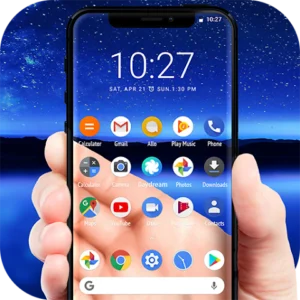

Transparent and glass-like wallpapers remain hugely popular in 2026. They pair perfectly with modern UI trends like Liquid Glass on iOS and clean home screen customizations on Android. These designs create depth, enhance icon visibility, and give your device a premium, futuristic look.
This guide covers the best transparent phone wallpapers trending this year, where to find them, and tips for applying them effectively.
What Are Transparent Phone Wallpapers?
Transparent wallpapers use subtle gradients, frosted glass effects, light refractions, and minimal elements to simulate see-through or layered glass. They work especially well with clear or monochrome icons and depth-effect features on newer phones.
Popular styles in 2026 include:
- Liquid Glass aesthetics.
- Frosted translucent layers.
- Minimal abstract gradients.
- Nature scenes with transparent overlays.
- 3D depth and light motion effects.
Key Benefits of Transparent Wallpapers
- Enhanced visual depth and modernity.
- Better visibility for widgets and icons.
- Battery-friendly on AMOLED displays (especially dark variants).
- Versatile for both home and lock screens.
- Timeless minimalist appeal with creative twists.
Top Transparent Wallpaper Trends in 2026
1. Liquid Glass and Light in Motion
Inspired by iOS design language, these feature smooth gradients, light streaks, and translucent layers. Collections like “Light in Motion” offer stunning refraction effects that come alive when the screen wakes.
2. Frosted Glass and Clear Icon Aesthetics
Perfect for users with transparent or hidden icons. These wallpapers have soft blurs and pastel or neutral tones that make icons pop.
3. Minimal Abstract and Gradient Designs
Clean translucent orbs, subtle patterns, and layered depth effects suit both Android and iOS.
4. Nature with Transparent Overlays
Scenes like auroras, oceans, or forests with frosted glass filters create a calming, premium vibe.
5. Nothing Phone and Glyph-Inspired Styles
Monochrome, dot-matrix, and industrial transparent designs match unique hardware aesthetics.
Best Places to Download Transparent Wallpapers
- Official collections from iOS 26/27 and Samsung Good Lock.
- Dedicated wallpaper sites offering 4K optimized images.
- Apps like 2Live for animated transparent variants.
- Community shares on social platforms.
Always choose high-resolution files matched to your screen size for the sharpest results.
How to Set Transparent Wallpapers on Android and iPhone
On iPhone (iOS 26/27):
- Download the image.
- Go to Settings > Wallpaper > Add New Wallpaper.
- Select the image and adjust depth effect if available.
- Set for home, lock, or both screens.
On Android:
- Download the wallpaper.
- Open the Photos app or Files.
- Set as wallpaper (home screen, lock screen, or both).
- Use launchers like Nova for advanced customization.
For live or dynamic transparent effects, consider dedicated apps that support motion.
Recommended Top Transparent Wallpapers for 2026
- Iridia Light Refraction — Dynamic light streaks with glass effects.
- Solara Light in Motion — Soft gradients ideal for daily use.
- Transparent Gateway — Colorful yet clean for clear icons.
- Frosted Nature Scenes — Calming overlays with depth.
- Minimal Translucent Orbs — Perfect for dark mode.
Many collections are available in full zip downloads for easy access.
Advantages and Limitations
Advantages:
- Fresh, modern appearance.
- Works beautifully with widgets and custom icons.
- Often free and easy to apply.
- Great for showcasing device hardware.
Limitations:
- Some complex designs may reduce readability in bright light.
- Live transparent effects can impact battery slightly.
- Not all phones support advanced depth animations equally.
Best Practices and Tips
Match wallpaper style to your icon pack and theme.
Test on both light and dark modes.
Use 4K or higher resolution for crisp details on high-refresh-rate screens.
Combine with transparent app icons or launchers for a cohesive look.
Regularly update your collection to keep your phone feeling new.
For privacy, avoid overly revealing live camera-based transparent apps in public.
Common Mistakes to Avoid
- Using low-resolution images that look blurry.
- Ignoring screen aspect ratio (causing cropping).
- Overloading with busy transparent elements.
- Forgetting to optimize for battery on live versions.
- Applying without testing visibility of important widgets.
Frequently Asked Questions
Are transparent wallpapers compatible with all phones?
Yes, static ones work universally. Advanced effects perform best on flagship devices with strong processors.
Do they drain battery?
Static transparent wallpapers have negligible impact. Animated or live versions use slightly more power.
Where can I find free 4K transparent wallpapers?
Dedicated wallpaper sites, official OS collections, and community forums offer high-quality free downloads.
Can I create my own transparent wallpaper?
Yes, using photo editors to add transparency, gradients, or overlays to your images.
What’s trending most in 2026?
Liquid Glass styles and frosted translucent designs with subtle light motion.
Conclusion
Transparent phone wallpapers deliver a sleek, contemporary look that elevates your device in 2026. Whether you prefer calm minimalism or dynamic glass effects, there are stunning options for every style and phone.
Download a few favorites, experiment with setups, and enjoy a refreshed home screen experience. Your phone’s appearance is a personal reflection — make it uniquely yours with beautiful transparent designs.
Start exploring these top picks today and transform how your device looks and feels.
FAQ Section
Q1: What is the Liquid Glass wallpaper trend?
It mimics translucent, layered glass with light and depth effects popular in newer iOS versions.
Q2: Are there transparent live wallpapers?
Yes, subtle motion versions are available through specialized apps.
Q3: Do transparent wallpapers work well with dark mode?
Absolutely — many designs have dedicated dark variants that look elegant.
Q4: How do I make icons look transparent?
Pair wallpapers with icon packs or launchers that support hidden/clear styles.
Q5: Are these wallpapers safe to download?
Stick to reputable sources and official collections to avoid issues.